Read PDFs
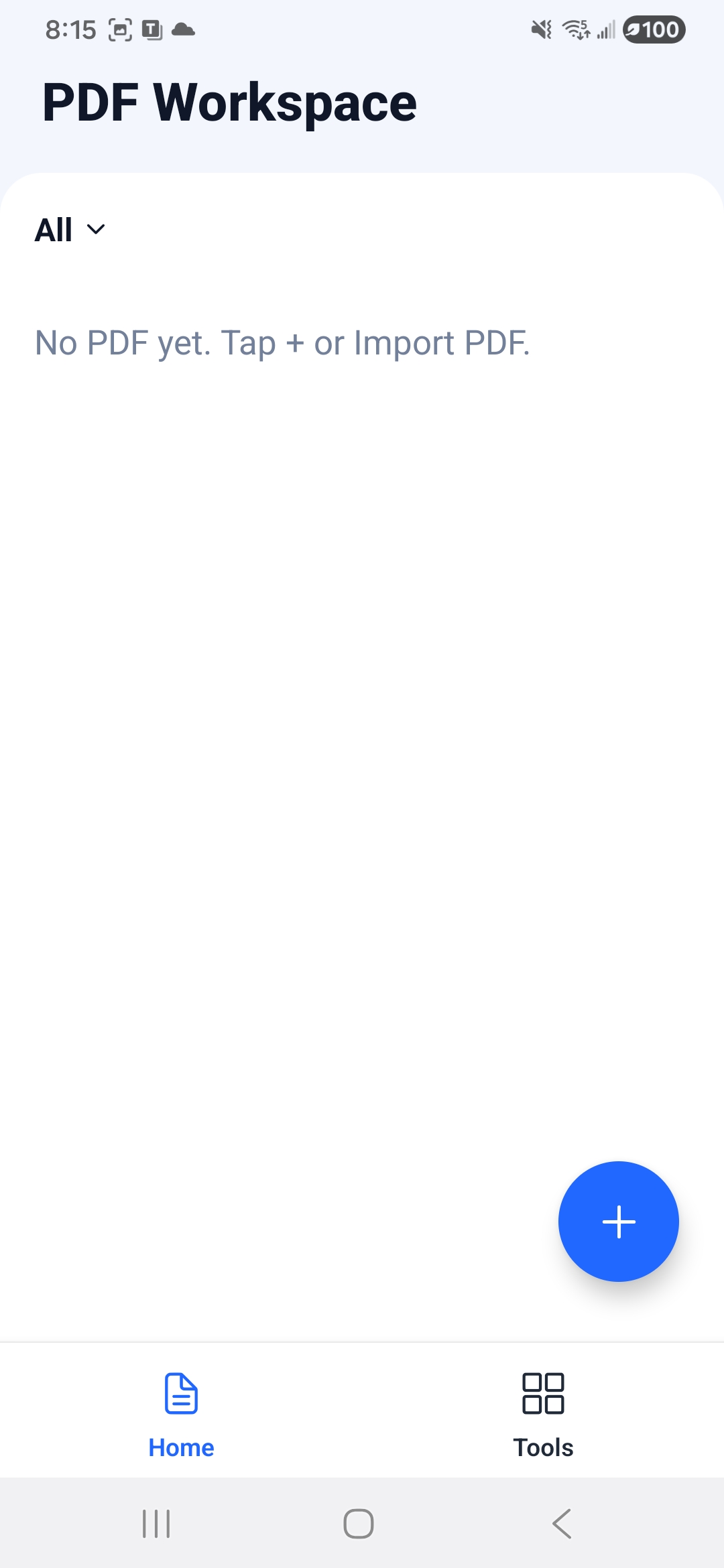
Open imported PDF files in a clear mobile workspace with recent file access and simple sharing.
 PDFNext
App Store
Mobile PDF workspace
Read, edit, sign and manage PDFs from one fast mobile app.
Everything in one place
Inspired by the strongest PDF reader competitors, focused on the tools that PDFNext already supports.
Open imported PDF files in a clear mobile workspace with recent file access and simple sharing.
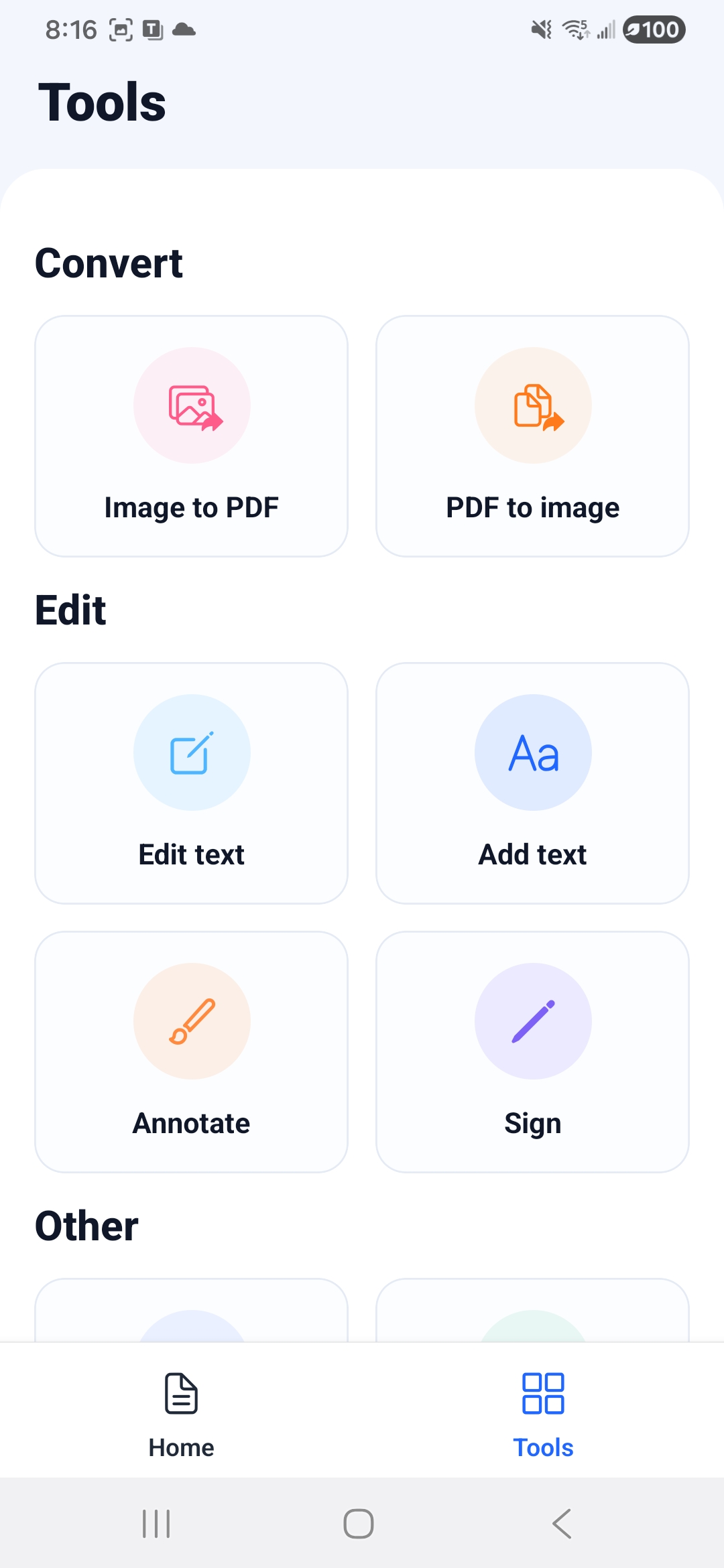
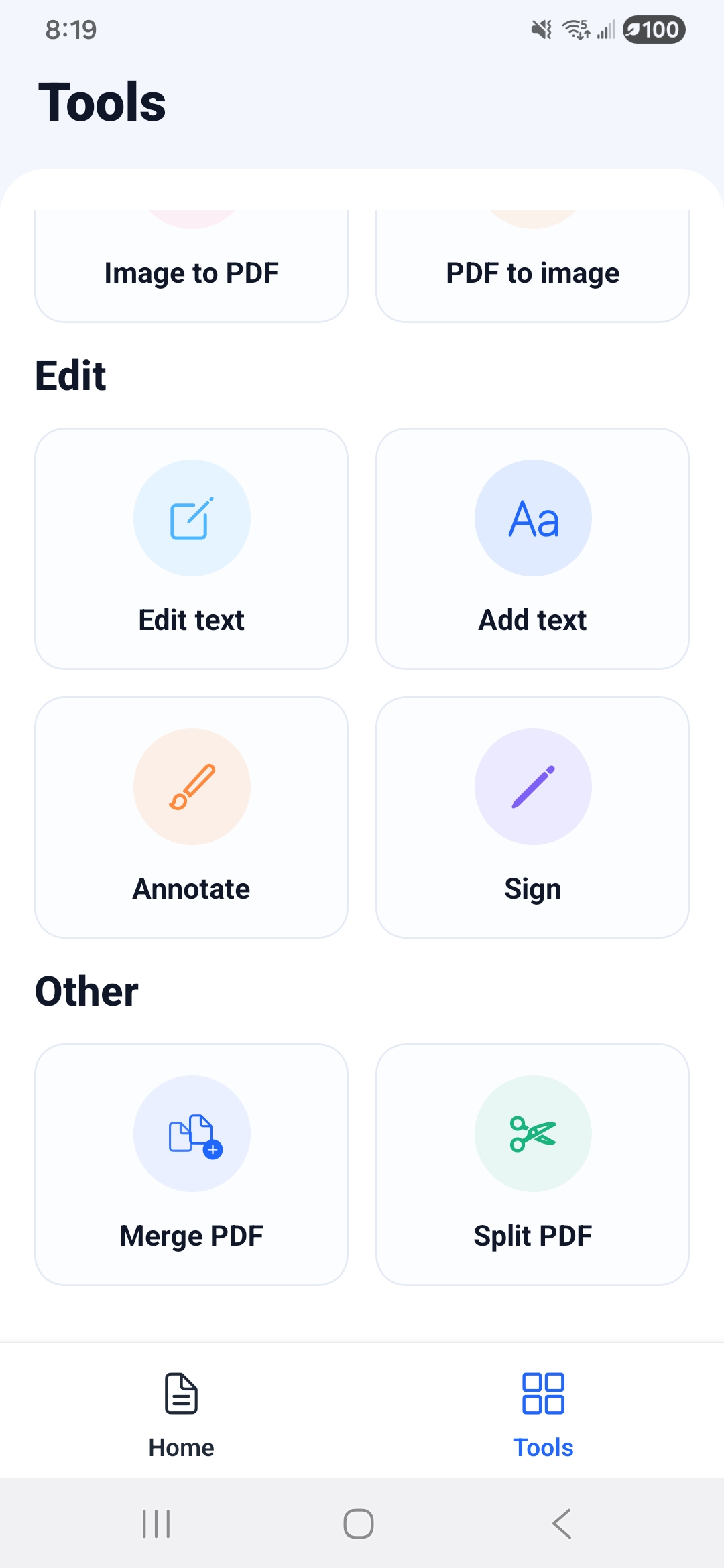
Edit existing text, add new text, and keep your document work inside one editor flow.
Draw, mark up, highlight key areas, and place signatures on PDF pages.
Turn images into PDFs, export PDF pages as images, then share the results.
Select page ranges and create smaller documents for easier sending and filing.
Combine documents into one PDF and keep related pages together.
Simple by design
PDFNext keeps the main screen focused on your PDFs and moves advanced actions into a dedicated Tools tab, matching the mobile app screenshots and interaction model.
Screenshots
Privacy
PDFNext does not require an account. Files you import, create, edit or sign are stored locally unless you choose to share or export them.